
Your client logs in to check their project status. They see your logo, your colours, your domain. Not a third-party tool's branding sitting awkwardly on top of your work.
That is the entire promise of a white label client portal. And for agencies, it is worth more than it first appears - not because branding is vanity, but because a branded portal changes how clients perceive the size, maturity, and value of your agency.
This guide covers what a white label client portal actually does for an agency, the two very different approaches to getting one, how to evaluate options, and when it genuinely is not worth the money.
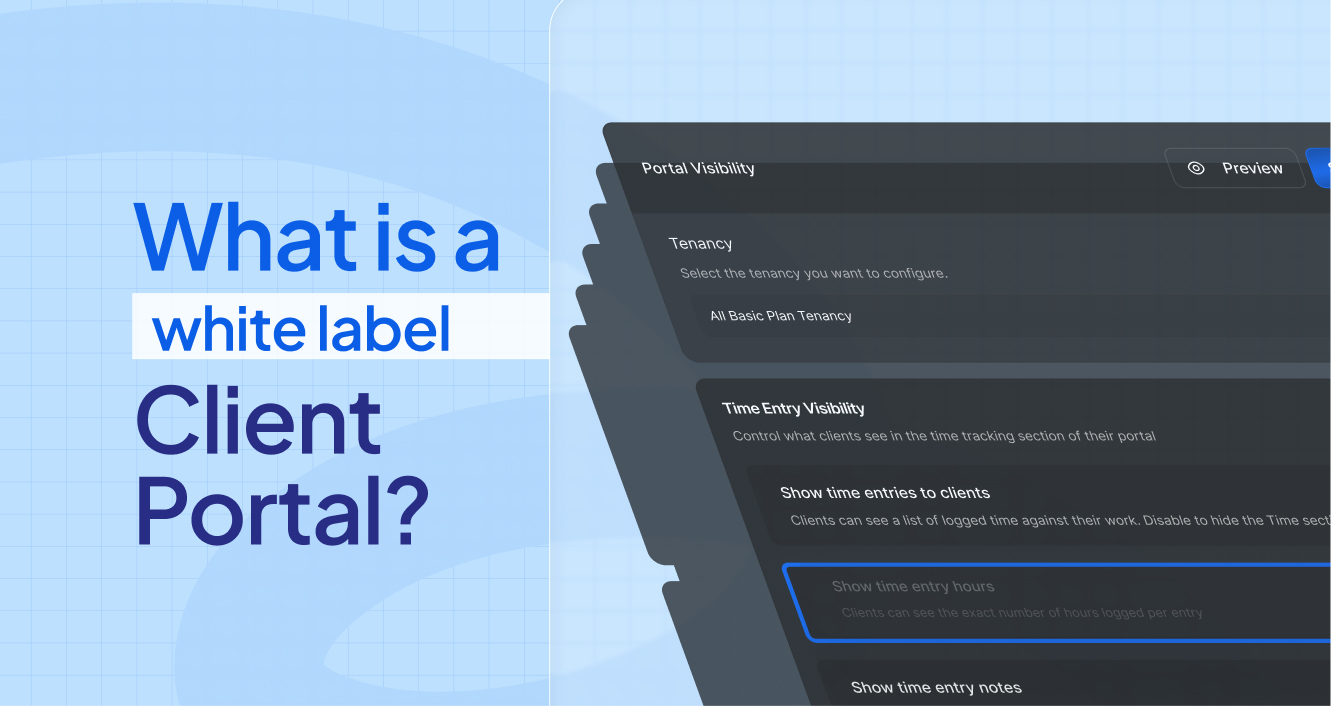
What is a white label client portal?
A white label client portal is a branded, secure workspace where your clients log in to see their project status, deliverables, time logged, invoices, and files - presented entirely under your agency's brand rather than the software vendor's.
The word "white label" simply means the platform lets you replace its identity with yours: your logo, your colour palette, your domain, your email notifications. Your client never sees the underlying vendor.
For agencies, a well-implemented portal typically consolidates:
Project and task visibility - what is in progress, what is done, what is next
Time and effort transparency - hours logged against their account
Deliverables and documents - briefs, assets, reports, contracts
Requests and intake - structured submissions instead of scattered email threads
Invoices and billing history - what was charged and why
Communication - messages tied to the actual work rather than lost in inboxes
The critical distinction is control. A good portal gives you granular authority over exactly what each client sees. Your internal notes, other clients' work, and unfinished thinking stay private.
Why white labelling matters more for agencies than most software buyers
Most software buyers treat branding as cosmetic. For agencies it is commercial.
It changes perceived agency size
A six-person agency with twenty-three branded client portals looks and operates like a much larger firm. Clients notice structure. When they log into a professional, branded environment rather than receiving a Friday email summary, their mental model of your agency shifts upward.
This is not deception. It is your operational quality becoming visible.
It protects your position in the relationship
When your client's project lives inside a tool that is obviously not yours, you have introduced a third party into a two-party relationship. The client can see the tool. They can price the tool. They can wonder whether they could just use the tool themselves.
A white labelled portal removes that question entirely.
It supports your rates
Agencies competing on deliverables alone compete on price. Agencies that deliver a visibly superior client experience compete on trust. The portal is one of the few places where operational excellence becomes something the client can actually see and feel every week.
It reduces the invisible work of client management
The most underestimated cost in agency operations is the status update loop. The "just checking in" email. The Tuesday morning "any updates?" message. The Friday summary that takes two hours to write.
These exist because clients have no window into the work. Give them a live view and the loop largely disappears. That is capacity returned to delivery.
The two approaches to getting a white label client portal
This is the decision most articles skip, and it is the one that determines whether your portal project succeeds or quietly dies.
There are two fundamentally different paths.
Approach 1: Rebuild your workflow inside a portal platform
Most white label client portal software works this way. You adopt an all-in-one platform, move your project management into it, and the portal is a view of that platform's data.
This works well when:
You do not have an established project management system yet
Your team is small and workflow change is cheap
You want billing, CRM, and project management unified in one tool
You are building a productised service with repeatable delivery
The cost you are accepting:
Your team abandons the tool they already know. Historical project data either migrates imperfectly or gets left behind. Your integrations get rebuilt. Adoption becomes a change management project, not a software purchase.
For an agency with an established ClickUp, Asana, or Monday workspace, this is often a larger commitment than the portal is worth.
Approach 2: Layer a portal on top of the system you already use
The alternative is to keep your existing project management system exactly as it is, and add a client-facing layer that reads from it.
Your team keeps working in ClickUp. The portal pulls task status, time entries, and project data from your workspace and presents a controlled, branded view to each client. Your internal workspace stays private and untouched.
This works well when:
Your team already runs on an established PM tool
Your internal workflow is working and you do not want to disrupt it
You need client visibility, not a new operating system
You want a portal live in days rather than a migration project measured in months
The cost you are accepting:
You are adding a layer rather than consolidating. Billing may still live elsewhere. You are dependent on the integration quality between the two systems.
Which approach is right for you?
Ask one question: is your current project management system working?
If yes, layering is almost always the better economic decision. The switching cost of Approach 1 is routinely underestimated, and the failure rate of "we will migrate everything to the new platform" projects is high.
If you do not have a system yet, or your current one is genuinely failing you, then consolidating into an all-in-one platform makes sense.
The ClickUp problem specifically
A large number of agencies run on ClickUp. It is an excellent project management tool.
It is not a client portal, and guest access was never designed to function as one.
Here is the progression almost every ClickUp agency experiences:
StageWhat happens1–3 clientsGuest access works fine. Simple to configure.4–8 clientsPermission configurations start requiring thought.9–15 clientsManaging who sees what becomes a recurring task.16+ clientsPermission management is effectively someone's part-time job. One wrong toggle exposes the wrong data.
The failure mode is not dramatic. It is gradual. Your ClickUp structure slowly reorganises itself around client visibility rather than team efficiency. Internal comments require caution. Onboarding a new client takes hours instead of minutes.
The structural fix is not a better ClickUp configuration. It is giving clients their own environment that draws from ClickUp without living inside it.
What to evaluate in a white label client portal
Branding depth is the obvious criterion. These are the ones that matter more.
Granular visibility control
Can you decide what each client sees, per client, per data type? Global on/off switches are not enough. You need to be able to show one client their time entries and hide them from another.
Ask specifically: can I hide internal tasks, internal comments, and unassigned work from client view?
Data isolation architecture
This is the security question that matters most and gets asked least.
Multi-tenant systems must enforce client separation at the data layer, not the application layer. Application-layer isolation has exceptions. Data-layer isolation does not. If a vendor cannot answer this question clearly, that is informative.
Setup time per client
The difference between a portal that takes four hours to configure per client and one that takes five minutes determines whether you actually roll it out to your whole client base or abandon it after three.
Ask for the specific onboarding time for a new client portal, not the initial platform setup time.
Integration depth with your existing stack
If you are taking the layering approach, this is the whole product. Shallow integrations that sync once an hour and drop custom fields will create more support conversations than they remove.
Ask what syncs, how often, and what happens when the sync fails.
What the client experience actually looks like
Request a demo portal from the client's perspective, not the admin's. Many platforms have excellent admin interfaces and mediocre client-facing views. Your client only ever sees the second one.
When a white label client portal is not worth it
Honest answer: sometimes it is not.
You have fewer than three clients. The overhead of configuring and maintaining portals exceeds the benefit. Email works at this scale.
Your clients genuinely do not want one. Some client contacts prefer a weekly call and a PDF. Forcing a portal on them adds friction rather than removing it. Ask before you buy.
Your engagements are short and transactional. A two-week project does not need a portal. Portals earn their value across ongoing relationships where visibility compounds.
Your internal process is not stable yet. A portal makes your operations visible. If your operations are chaotic, visibility is not your friend. Fix the process first.
You expect it to fix a communication problem that is actually a relationship problem. A portal removes the need for status updates. It does not repair a client relationship that has broken down for other reasons.
How to roll out a client portal without disrupting your team
The most common implementation mistake is launching to every client at once.
Start with one client. Choose an engaged client with a healthy relationship - not your most difficult one. Configure their portal, send them the link, and watch what they actually use.
Watch which sections get opened. You will usually find clients care about far fewer things than you assumed. Most care intensely about status and timeline. Fewer care about time entry detail. This tells you what to configure by default for everyone else.
Roll out in batches of five. This keeps support conversations manageable and lets you refine your default configuration before it is applied broadly.
Set the expectation explicitly at handoff. "Everything about your project lives here - you can check any time without emailing us." Clients need to be told the portal replaces the update email, or they will keep sending it.
Measure the right thing. The metric that matters is not portal logins. It is the reduction in inbound status requests. If your inbox got quieter, the portal is working.
Frequently asked questions
What is the difference between a client portal and a white label client portal?
A client portal is any secure space where clients access their information. A white label client portal is one where the vendor's branding has been fully replaced with yours - your logo, colours, domain, and email notifications - so the client experiences it as your agency's own software.
How much does a white label client portal cost for an agency?
Most agency-focused platforms price between $50 and $300 per month depending on client volume and feature depth. Pricing is usually tied to the number of active client portals rather than internal users. The more useful calculation is what it replaces: if a portal removes six hours of status-update work per month, it typically pays for itself several times over.
Can I use ClickUp as a client portal?
You can share ClickUp with clients using guest access, and this works acceptably for a small number of clients. It becomes difficult to manage past roughly ten clients because permissions must be configured individually and the risk of exposing internal or cross-client data increases. A dedicated portal layer that reads from ClickUp is the more scalable approach for agencies past that threshold.
Do clients actually use client portals?
Adoption depends almost entirely on whether the portal answers the question the client was going to email you about. Portals that show live project status and timeline get used. Portals that require the client to hunt for information do not. Set the expectation clearly at handoff and configure the default view around what the client cares about most.
Is a white label client portal secure enough for client data?
It depends on the platform. The questions that matter are whether tenant isolation is enforced at the data layer, whether access is role-based and auditable, and whether credential sharing is logged. Any vendor serving agencies should be able to answer these directly. If the answers are vague, treat that as a signal.
How long does it take to set up a client portal?
Platform setup typically takes a few hours. The number that matters more is per-client setup time, which ranges from five minutes on well-designed platforms to several hours on ones requiring manual configuration per client. Ask specifically about the second number before committing.
The short version
A white label client portal is not a branding exercise. For agencies it is an operational decision that affects client retention, your team's capacity, and how your agency is perceived commercially.
The most important choice is not which platform. It is which approach - rebuild your workflow inside a new system, or layer a client-facing view on top of the system you already have.
If your project management is already working, do not replace it. Add the layer your clients have been asking for and keep the workflow your team already knows.
BluOps gives agencies a branded client portal that connects directly to your existing ClickUp workspace. Your team keeps working exactly as they do now. Your clients get a live, branded view of their project - with granular control over exactly what each one sees.
Portals go live in under five minutes per client. No workflow migration, no restructuring.